
Retail suppliers often face credit adjustments, unexpected deductions, and payment discrepancies when working with major retailers. Without an efficient process for tracking these adjustments, finance teams may spend hours comparing invoices, reviewing retailer communications, and reconciling payment differences.
EDI 812 (Credit/Debit Adjustment) helps trading partners exchange information about financial adjustments electronically. When incorporated into a well-managed EDI workflow, it can help suppliers process adjustments more efficiently, maintain accurate financial records, and resolve invoice disputes faster.
What Is EDI 812?
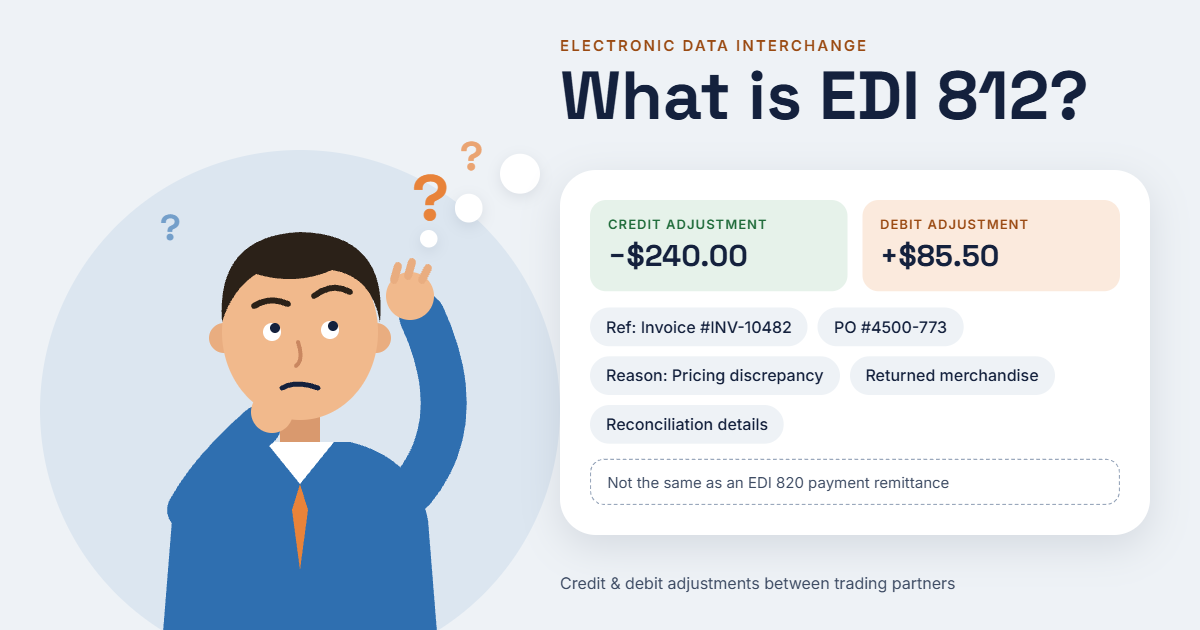 EDI 812 is an electronic data interchange transaction set used to communicate credit and debit adjustments between trading partners.
Retailers and suppliers may use this transaction to document financial changes related to previously issued invoices, payments, pricing discrepancies, returned merchandise, or other agreed adjustments.
Depending on the trading partner's requirements, an EDI 812 transaction may communicate information such as:
-
Credit or debit adjustment amounts
-
Reasons for financial adjustments
-
References to original invoices or purchase orders
-
Product or transaction details associated with an adjustment
-
Supporting information needed for reconciliation
The exact information exchanged depends on the trading partners' implementation guidelines and business requirements.
Important: EDI 812 is not the same as a retailer deduction notice or a payment remittance. Retailers may communicate deductions through other documents or transaction sets, such as EDI 820 for payment orders and remittance advice. Suppliers should confirm which transaction their trading partners use for each financial process.
Common Reasons Retailers Issue Credit or Debit Adjustments
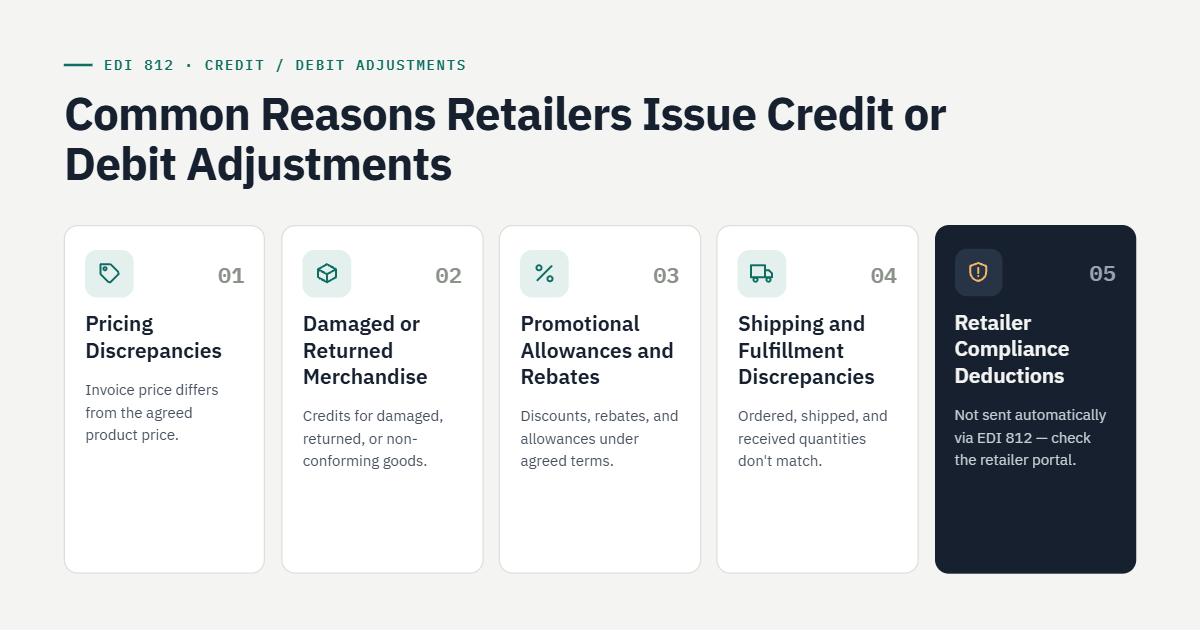 Retailer adjustments can occur for several reasons. Understanding the underlying cause helps suppliers determine whether an adjustment is valid or requires further investigation.
1. Pricing Discrepancies
A retailer may identify a difference between the agreed product price and the amount charged on an invoice. An adjustment may be necessary to correct the difference.
Suppliers can reduce these issues by synchronizing pricing information across their ERP, order management, and EDI systems.
2. Damaged or Returned Merchandise
Retailers may request credits for damaged products, returns, or merchandise that does not meet agreed requirements. Suppliers need accurate return records and supporting documentation to validate these adjustments.
3. Promotional Allowances and Rebates
Retail agreements may include promotional discounts, rebates, or other allowances. Adjustments help trading partners account for these financial arrangements according to their agreed terms.
4. Shipping and Fulfillment Discrepancies
Differences between ordered, shipped, and received quantities can lead to financial disputes. Missing products, incorrect quantities, and inaccurate shipment records may affect invoice reconciliation.
Connecting EDI transactions with warehouse and fulfillment data helps suppliers investigate these discrepancies more efficiently.
5. Retailer Compliance Deductions
Retailers may impose deductions for noncompliance with shipping, labeling, routing, or documentation requirements. However, these deductions are not automatically communicated through EDI 812.
Suppliers should identify the transaction or retailer portal used to report each deduction and determine whether a separate credit/debit adjustment is required.
How EDI 812 Helps Suppliers Manage Invoice Disputes
EDI 812 can support a more organized adjustment process by reducing manual data entry and improving the consistency of financial information exchanged between trading partners.
Here are four ways suppliers can benefit.
1. Improve Financial Reconciliation
When adjustment details are received electronically and mapped to the appropriate financial records, accounting teams can more easily compare the adjustment against the original invoice, purchase order, and payment information.
This reduces the need to search through multiple spreadsheets and manually match documents.
2. Identify Discrepancies Faster
Automated workflows can flag adjustment amounts, invoice references, or transaction details that do not match existing records.
For example, if an adjustment references an invoice that cannot be found in the supplier's accounting system, the workflow can route it for review rather than processing it without verification.
3. Maintain Better Documentation
Invoice disputes often require evidence, including purchase orders, invoices, shipment confirmations, proof of delivery, and retailer correspondence.
Linking adjustment records to the relevant business documents gives finance and operations teams a clearer view of the transaction history.
4. Reduce Manual Processing
Instead of manually transferring adjustment information between systems, suppliers can use EDI integration to move supported transaction data into their accounting or ERP workflows.
Automation can reduce repetitive work, improve processing consistency, and give employees more time to investigate disputed charges.
However, automation does not guarantee that every adjustment will be resolved automatically. Exceptions still require review, and dispute procedures depend on retailer policies.
Best Practices for Managing EDI 812 Transactions
To get the most value from EDI 812, suppliers should establish a consistent process for receiving, validating, recording, and reviewing financial adjustments.
Validate every adjustment. Check the adjustment amount, reason, invoice reference, and applicable trading partner requirements before posting it to financial records.
Connect EDI with accounting and ERP systems. Integrating EDI with platforms such as QuickBooks or NetSuite can help synchronize transaction information and reduce duplicate data entry, provided the integration supports the required workflow.
Keep supporting documents accessible. Store relevant invoices, purchase orders, shipment records, and correspondence with each adjustment whenever possible.
Establish an exception-handling process. Route missing references, unexpected amounts, duplicate adjustments, and other discrepancies to the appropriate team for review.
Monitor recurring issues. Analyze adjustment reasons to identify patterns involving pricing, fulfillment, shipping compliance, or invoicing. Correcting the underlying problem can help prevent repeated disputes.
How SBSA Technology Helps Streamline Retail EDI and Financial Workflows
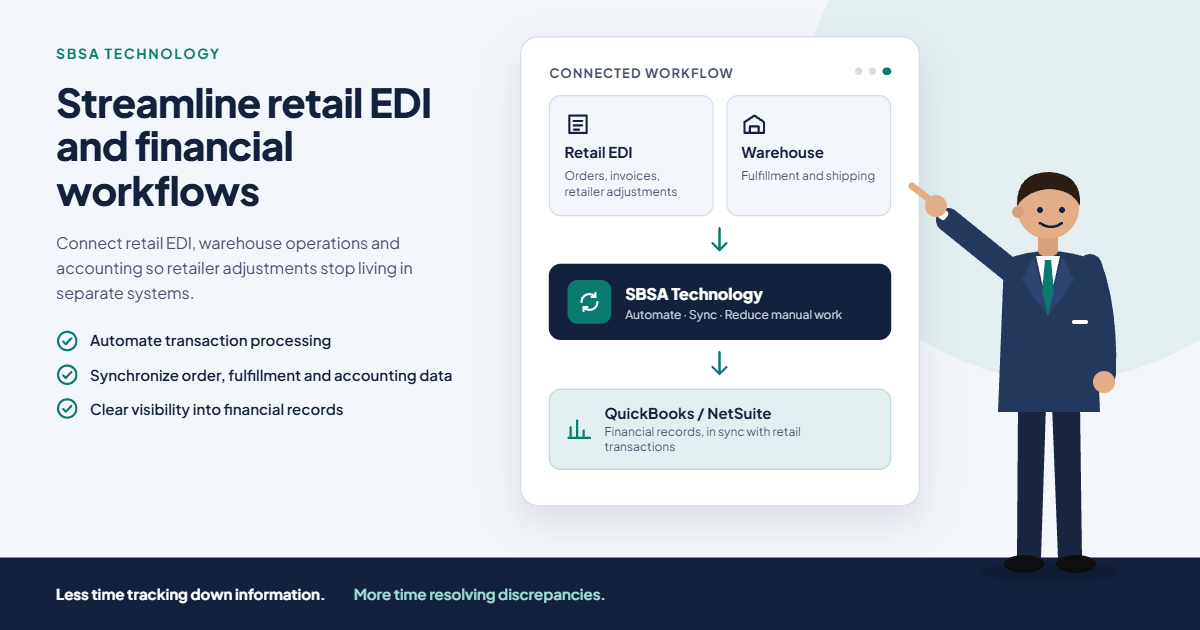 Managing retailer adjustments becomes more complicated when EDI transactions, warehouse operations, and accounting records are handled in separate systems.
SBSA Technology helps businesses connect retail EDI and operational workflows with their broader business systems. Depending on the integration requirements, suppliers can automate transaction processing, synchronize relevant data, and reduce manual work across order management, fulfillment, and accounting operations.
For businesses using supported QuickBooks or NetSuite workflows, integration can help improve visibility between retail transactions and financial records.
By reducing disconnected processes and improving transaction visibility, suppliers can spend less time tracking down information and more time resolving discrepancies and managing their retail operations.
Final Thoughts
EDI 812 provides a standardized way for trading partners to exchange credit and debit adjustment information. When combined with accurate invoice records, integrated business systems, and a clear dispute-management process, it can help suppliers improve financial reconciliation and manage adjustments more efficiently.
The key is to connect adjustment data with the original business transaction, understand why the adjustment occurred, and address recurring issues before they create additional costs.
Looking to simplify your retail EDI and accounting workflows? Contact SBSA Technology to explore integration options that can help your business improve transaction visibility, streamline operations, and reduce manual processing.
- Book a demo: sbsatech.com/consultancy
- Talk to the team: sbsatech.com/contact
- Explore the platform: sbsatech.com
- More insights: sbsatech.com/blog