
Is Your EDI System Working as Hard as Your Team?
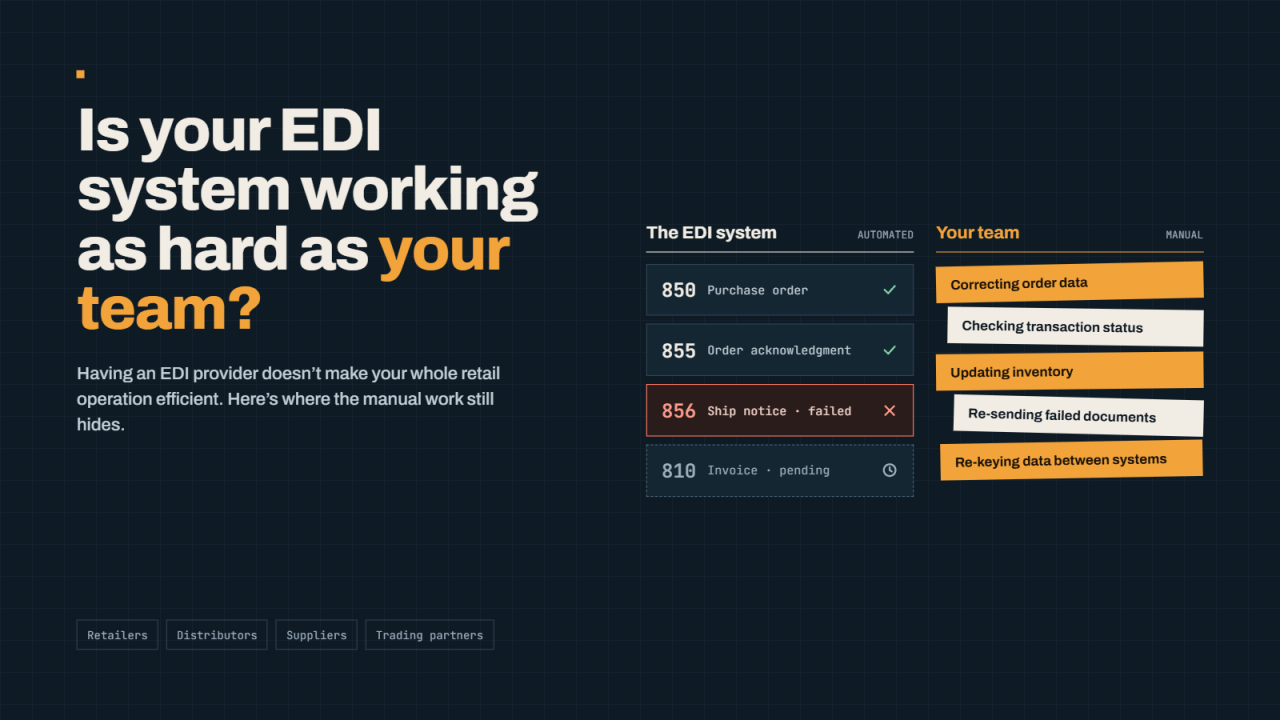
Electronic Data Interchange (EDI) helps businesses exchange essential documents with retailers, distributors, suppliers, and other trading partners. From purchase orders and shipment notifications to invoices and order acknowledgments, EDI can eliminate much of the manual work associated with traditional business transactions.
However, having an EDI provider does not automatically mean your entire retail operation is efficient.
Your team may still spend hours correcting order information, checking transaction statuses, updating inventory, troubleshooting failed documents, or moving data between disconnected systems. These tasks can become increasingly difficult as your business adds retailers, processes more orders, or expands into new sales channels.
Whether you currently use SPS Commerce, TrueCommerce, or another EDI solution, it is worth evaluating how well your existing setup supports your day-to-day operations.
Here are nine signs that your current EDI workflow may need improvement—and what you can do about them.
Here are nine signs that your current EDI workflow may need improvement—and what you can do about them.
1. Your Team Still Enters Orders Manually
One of the primary benefits of EDI is reducing manual data entry. Yet some businesses still rely on employees to transfer information from retailer portals, emails, or EDI documents into their ERP, accounting, or order management systems.
For example, a retailer sends an electronic purchase order (EDI 850). An employee then opens the order, checks the items, and manually enters the information into an accounting or inventory system.
This process creates additional work and increases the possibility of mistakes involving quantities, item numbers, pricing, or shipping details.
What to look for:
-
Employees regularly re-enter purchase order information.
-
Order details must be copied between multiple systems.
-
Staff members spend more time processing orders than managing exceptions.
-
Order volumes increase, but your team must also increase its manual workload.
How to improve it: Evaluate whether your EDI platform can integrate with your ERP, accounting, warehouse management, or order management system. With an appropriately configured integration, purchase orders can flow into the relevant system automatically, subject to validation and exception-handling rules.
The objective is not to eliminate human oversight. It is to reduce repetitive work so your team can focus on tasks that require attention.
2. Troubleshooting EDI Issues Takes Too Long
Even well-configured EDI systems can encounter errors. Documents may be rejected because of invalid product identifiers, missing information, incorrect formatting, or retailer-specific requirements.
The problem becomes more serious when your team cannot quickly determine what failed, why it failed, or who needs to resolve it.
For instance, a purchase order may arrive successfully, but an error prevents it from being processed by your ERP. If the issue goes unnoticed, order processing may be delayed.
Similarly, a shipment notification may fail validation, requiring your team to investigate and correct the problem before resubmission.
What to look for:
-
Employees must contact multiple people to investigate an error.
-
Support requests take longer than expected to resolve.
-
Staff members repeatedly investigate the same types of issues.
-
There is no clear process for escalating urgent transaction failures.
How to improve it: Review your provider's error notifications, troubleshooting tools, support arrangements, and escalation procedures.
An effective workflow should help your team identify the affected transaction, understand the reported error, determine the appropriate corrective action, and confirm that the corrected document was accepted when required.
3. Your EDI Workflow Is Disconnected From Fulfillment
Retail order processing does not stop when a purchase order arrives. Businesses must coordinate order fulfillment, inventory, shipping, tracking information, and invoicing.
When these activities take place in separate systems without reliable integration, employees may need to transfer information manually between departments or applications.
Consider a retailer that requires an Advance Ship Notice (ASN), commonly sent as an EDI 856, before or around shipment. If the warehouse system does not provide the necessary shipping information to the EDI workflow, an employee may need to collect the details and prepare the document manually.
This creates extra steps and can delay shipment confirmations.
What to look for:
-
The warehouse and EDI systems do not exchange the information needed for shipping documents.
-
Tracking numbers must be copied manually.
-
Invoice creation depends on information collected from multiple systems.
-
Employees frequently follow up with other departments to complete an order.
How to improve it: Examine how your EDI provider connects with your ERP, warehouse management system (WMS), shipping software, and third-party logistics provider (3PL).
A more connected workflow can help move information between systems and reduce unnecessary handoffs. The appropriate integration depends on your existing applications, retailer requirements, and fulfillment processes.
4. You Have Limited Visibility Into Transaction Status
Sending an EDI document is not always the same as completing a business transaction successfully.
Your team may need to know whether a purchase order was received, whether an acknowledgment was returned, whether an ASN passed validation, and whether an invoice was accepted or rejected.
Without sufficient visibility, employees may discover a problem only after a retailer contacts them or an operational delay occurs.
For example, an EDI 855 purchase order acknowledgment communicates the supplier's response to a purchase order. An EDI 997 functional acknowledgment can indicate that an EDI interchange or functional group was received and syntactically evaluated, depending on the implementation. Neither acknowledgment should automatically be treated as proof that every downstream business process is complete.
What to look for:
-
Employees regularly log in to several portals to check document status.
-
Failed or delayed transactions are discovered late.
-
There is no clear view of unresolved exceptions.
-
Managers struggle to determine where orders are getting delayed.
How to improve it: Evaluate whether your current solution provides transaction monitoring, meaningful status information, error alerts, and reporting that fits your workflow.
Better visibility can help your team identify issues earlier and determine which transactions need immediate attention.
5. Adding New Retailers Requires Too Much Manual Work
Expanding into new retail channels can create significant opportunities for a growing business. However, every retailer may have its own document specifications, product requirements, testing procedures, shipping rules, and operational expectations.
Even if your company already uses EDI, onboarding a new trading partner may require configuration, mapping, testing, and coordination across multiple systems.
The challenge is not simply connecting to another retailer. It is ensuring that the complete workflow operates correctly.
What to look for:
-
Every new retailer creates a substantial manual workload.
-
Your team struggles to track onboarding requirements.
-
Testing depends heavily on spreadsheets and email exchanges.
-
Existing staff members must repeatedly perform the same configuration tasks.
How to improve it: Ask your EDI provider how it manages trading partner onboarding, document mapping, testing, implementation timelines, and ongoing changes to retailer requirements.
Standardized onboarding procedures, reusable integration components where appropriate, and clear project ownership can make expansion more manageable.
A provider should also explain which tasks it handles and which responsibilities remain with your business.
6. The Same EDI Errors Keep Happening
Occasional errors are expected in complex business integrations. Repeated errors, however, may indicate that the underlying cause has not been addressed.
For example, employees might repeatedly correct invalid item identifiers, missing shipping details, or mismatched invoice information. Fixing each transaction individually may restore processing, but it does not necessarily prevent the next occurrence.
Over time, recurring exceptions can consume valuable staff hours and make it harder to maintain consistent operations.
What to look for:
-
The same error appears across multiple orders.
-
Employees rely on spreadsheets to track recurring problems.
-
Corrections must be repeated even after similar issues have occurred.
-
There is no regular review of error patterns or root causes.
How to improve it: Categorize recurring errors and investigate their causes. Depending on the problem, solutions may include data validation, better product master data, revised mapping rules, improved integration logic, or clearer exception procedures.
Automated validation and alerts can help identify certain problems earlier, but they must be configured around your actual data and retailer requirements.
The goal is to prevent avoidable errors where possible and make unavoidable exceptions easier to resolve.
7. Your EDI and Third-Party Logistics Provider Are Difficult to Coordinate
Many retail vendors outsource warehousing and shipping to a third-party logistics provider. This can help a business scale without operating its own warehouse, but it also introduces additional systems and handoffs.
Your retailer, EDI provider, internal business systems, 3PL, and carrier may each manage different parts of an order.
If those systems do not exchange information reliably, your team may struggle to obtain shipment confirmations, tracking numbers, inventory updates, or the information required to produce accurate retailer documents.
What to look for:
-
Tracking information arrives late or requires manual entry.
-
Shipment confirmations are not consistently reflected in your EDI workflow.
-
Inventory differences between your systems cause fulfillment problems.
-
Employees spend time determining which company is responsible for an issue.
How to improve it: Map the complete process from retailer purchase order to warehouse fulfillment and shipment confirmation. Identify which system owns each data field, how information is transmitted, and who investigates exceptions.
Your EDI provider should be able to explain how its solution integrates with your existing systems and what coordination is required from your 3PL.
Clear ownership and reliable data exchange can help reduce avoidable delays and confusion.
8. Your Total EDI Costs Are Difficult to Understand
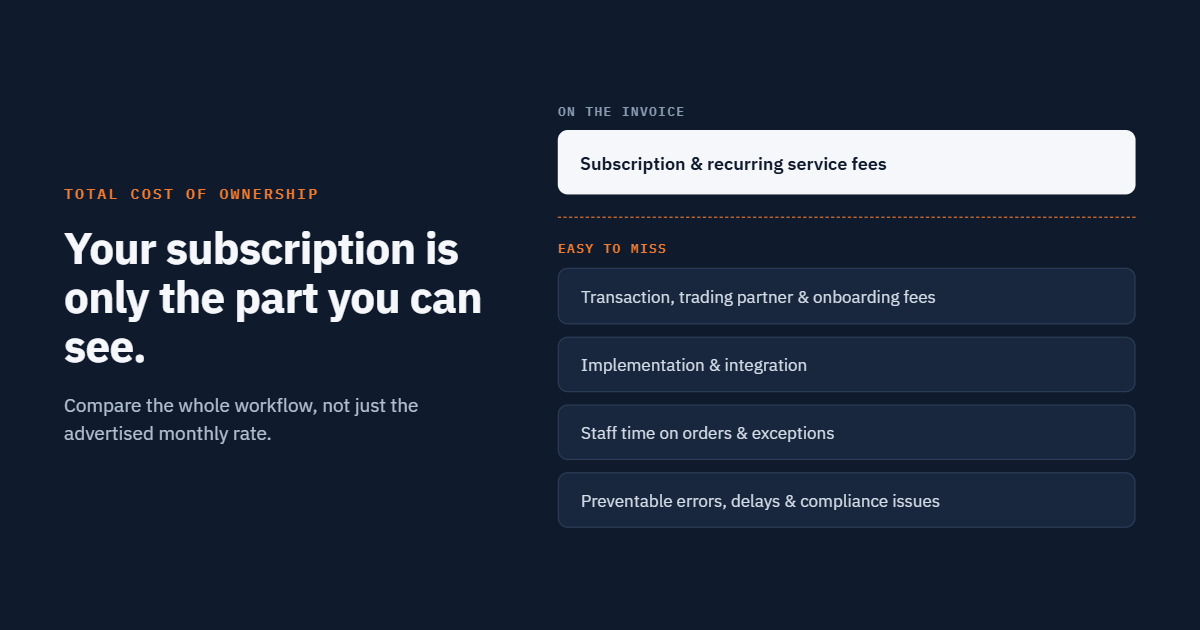
Your monthly EDI subscription is only one part of the cost of operating an EDI workflow.
Depending on your agreement and business requirements, additional costs may include implementation, transaction fees, retailer onboarding, custom integrations, support services, and internal labor.
There may also be indirect costs associated with manual processing, repeated corrections, delayed shipments, or resolving retailer compliance issues.
This does not necessarily mean your current provider is too expensive. It means your business should understand the total cost of operating its current setup.
What to look for:
-
Your team cannot easily explain the total monthly or annual EDI cost.
-
Additional retailers or integrations introduce unexpected expenses.
-
Employees spend significant time on work that could potentially be automated.
-
You cannot connect EDI spending to measurable operational outcomes.
How to improve it: Calculate your total cost of ownership (TCO).
Consider the following categories:
-
Provider subscription and recurring service fees.
-
Transaction, trading partner, and onboarding fees.
-
Implementation and integration costs.
-
Internal staff time spent processing orders and resolving exceptions.
-
Documented costs associated with preventable errors and operational delays.
Compare these costs with measurable improvements such as reduced manual processing time, fewer recurring errors, and faster exception resolution.
When comparing providers, evaluate the complete workflow and contractual costs—not just the advertised monthly rate.
9. Your Current Setup Cannot Easily Support Business Growth
A workflow that works for a small number of orders and trading partners may become difficult to manage as your business expands.
Higher order volumes, new retailers, additional warehouses, new sales channels, and more complex ERP requirements can place pressure on systems that depend on manual processes or disconnected applications.
Growth should not automatically mean hiring more people simply to transfer information between systems.
What to look for:
-
Order volume increases create a disproportionate increase in manual work.
-
New integrations require extensive custom processes.
-
Your team struggles to monitor activity across multiple retailers.
-
Reporting does not provide the information needed to identify bottlenecks.
How to improve it: Assess whether your current EDI architecture can support your expected growth. Discuss scalability, integration options, monitoring, exception handling, and the process for adding new trading partners.
The right solution should fit your current business requirements while providing a practical path for future expansion.
How to Evaluate Your Current EDI Provider
If you recognize several of these challenges, you do not necessarily need to replace your provider immediately.
Start by reviewing your current workflow and identifying the problems that have the greatest operational impact.
Use this checklist to guide the discussion:
|
Evaluation area |
Questions to ask |
|
Order processing |
How much manual entry is still required? |
|
Integration |
Does EDI exchange data reliably with our ERP, WMS, and other systems? |
|
Transaction visibility |
Can we quickly identify failed, delayed, or unresolved documents? |
|
Error handling |
Can we identify recurring problems and their root causes? |
|
Retailer onboarding |
What work and costs are involved in adding another trading partner? |
|
Fulfillment |
Are shipping, tracking, and inventory updates coordinated effectively? |
|
Support |
Are responsibilities, escalation procedures, and support availability clear? |
|
Pricing |
Do we understand recurring fees, implementation costs, and internal labor? |
|
Scalability |
Can our current workflow support higher volumes and additional retail channels? |
Once you identify the biggest gaps, determine whether they can be resolved through configuration, improved processes, additional integrations, or a different EDI solution.
If you decide to evaluate alternative providers, ask each one to demonstrate how it would address your specific problems.
When Should You Consider Switching EDI Providers?
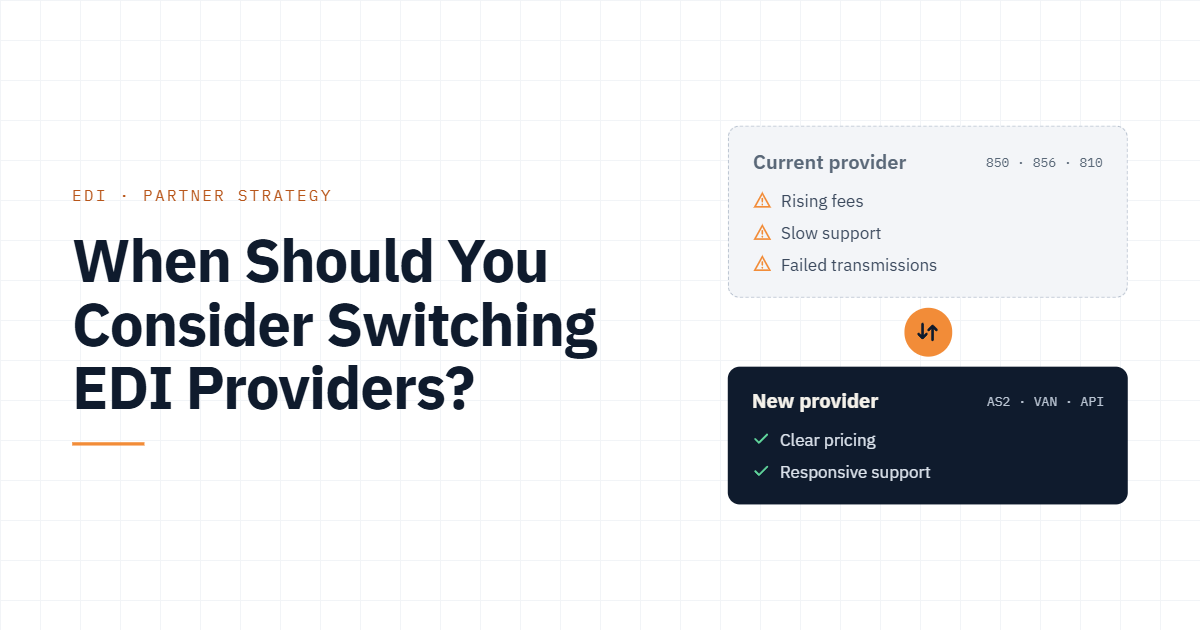
Switching providers may be worth considering when important operational problems cannot be resolved adequately within your current arrangement, or when the cost, capabilities, support, or integration options no longer fit your business.
Before making a decision, document your existing trading partners, retailer-specific requirements, transaction flows, integrations, and outstanding issues.
Ask prospective providers about migration planning, transaction mapping, testing, cutover procedures, support responsibilities, and contingency arrangements. Establish how existing orders and in-flight transactions will be handled before changing production connections.
A carefully planned transition can reduce migration risks, but no provider should promise that every change will be completely free of disruption without understanding your specific environment.
You should also compare the cost and risk of switching against the cost of improving your existing setup. The best decision is the one that delivers the greatest operational value for your business.
How SBSA Technology Can Help Improve Your EDI Workflow
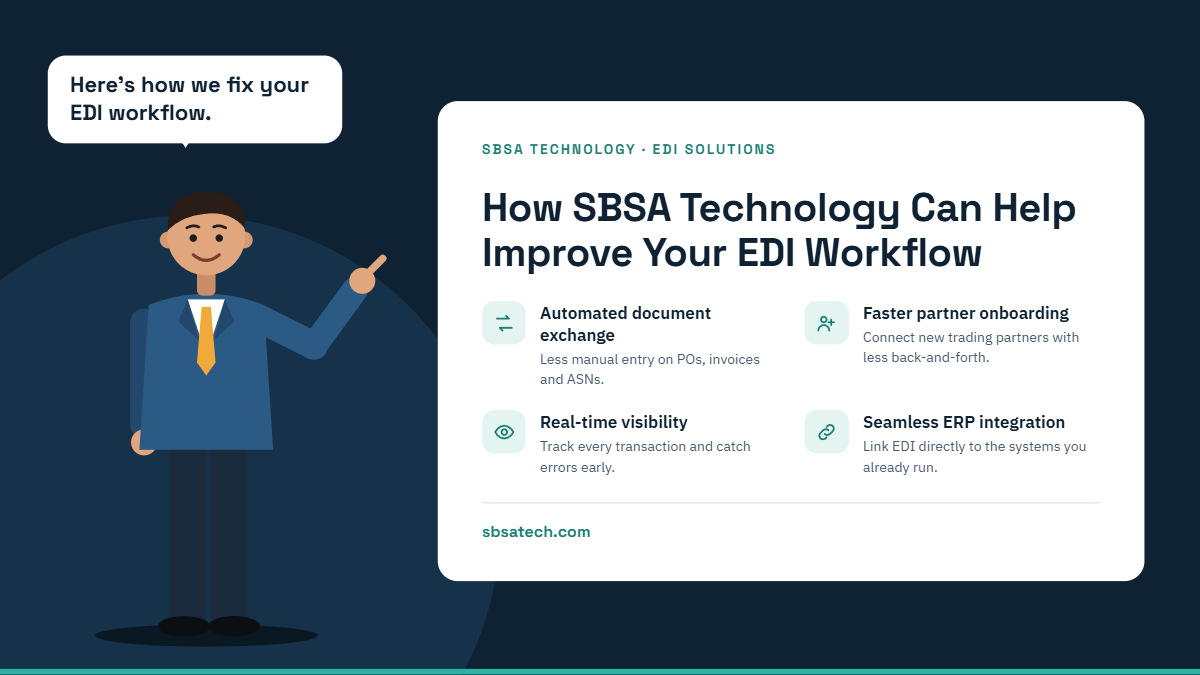
SBSA Technology helps retail vendors manage EDI and connect retail operations with their business systems.
Depending on your requirements, SBSA can help evaluate opportunities involving:
-
Retail EDI automation: Support the exchange of purchase orders, acknowledgments, shipment notices, and invoices.
-
ERP and accounting integrations: Connect EDI workflows with supported systems such as QuickBooks and NetSuite.
-
Fulfillment coordination: Improve information exchange between order processing, warehouse operations, and shipping workflows.
-
Transaction processing: Reduce repetitive manual steps through appropriately configured integration and automation.
-
Workflow visibility: Identify opportunities to improve exception handling, reporting, and operational coordination.
Every business has different trading partners, systems, transaction volumes, and requirements. The best starting point is to understand how your current workflow operates and where your team experiences the most friction.
You do not have to assume your existing EDI provider is the problem. Start by identifying the operational challenges and determining whether there is a better way to address them.
Measure Your EDI Performance Before Making a Change
Your EDI system should support your retail operations, not create unnecessary complexity.
Manual order entry, recurring errors, limited visibility, disconnected fulfillment systems, and unclear costs are all reasons to review how your current setup performs.
By measuring these issues and identifying their underlying causes, you can make a more informed decision about whether to improve your existing workflow or consider an alternative provider.
Ready to evaluate your EDI workflow?
SBSA Technology can help you explore opportunities to improve retail EDI, ERP integration, and fulfillment operations.
Contact SBSA Technology to discuss your current setup and identify potential opportunities to reduce manual work and streamline your retail operations.
- Book a demo: sbsatech.com/consultancy
- Talk to the team: sbsatech.com/contact
- Explore the platform: sbsatech.com
- More insights: sbsatech.com/blog